
Run Your Whole Business on AXOIX-iBOS
AXOIX-iBOS is an AI-powered business operating system that replaces CRM, accounting, HR, communication, and compliance tools — all running on one unified platform with voice support in 81 languages.



22 AI Characters working together to automate and elevate your business



Get documents signed in minutes, not days. Draw, type, or upload signatures. Public links for clients (no login needed). Complete audit trail for legal compliance. DocuSign-like experience at a fraction of the cost.

Manage all social media from one AXOIX-iBOS dashboard. Schedule posts, unified inbox, analytics. AI detects leads from conversations and routes to Sales CRM. Turn social chats into sales automatically.

Track every lead from first contact to closed deal. Visual Kanban pipeline, AI-powered lead scoring, activity logging. CHORUS auto-creates leads from social media. Click-to-call with LINK.

Professional phone system without expensive hardware. FREE internal calling, browser-based phones, IVR builder, call recording, click-to-call from CRM. Virtual numbers available.

Never miss a customer complaint. Auto-escalation based on SLA, priority routing, customer portal, resolution tracking. Complaints from CHORUS social media auto-route here.

Slack-like team messaging with channels, threads, reactions, audio huddles, and video meetings via Jitsi. Real-time collaboration built into your AXOIX-iBOS dashboard.
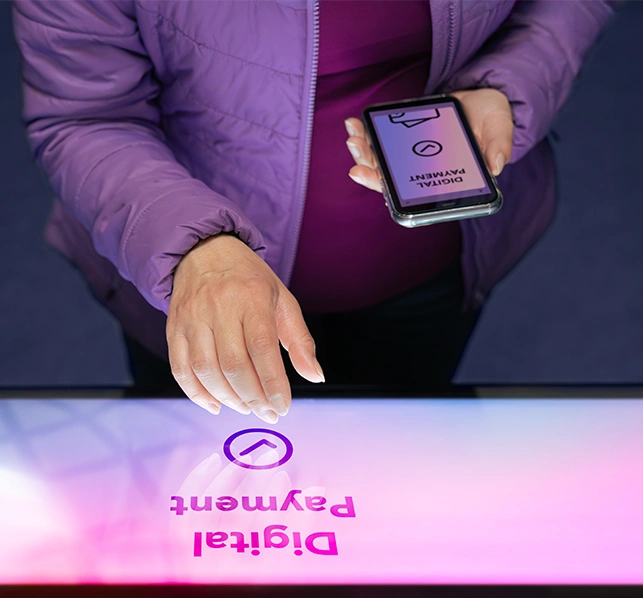
Collect payments directly via UPI — zero gateway fees. Auto-generated QR codes on every invoice, one-tap deep links for GPay/PhonePe/Paytm, public payment pages, and UTR-based confirmation with duplicate detection.
Real-time AI for smarter business
Live Modules Powering Your Business
AI Characters Working For You
Industry Verticals Supported
Live Modules Powering Your Business
AI Characters Working For You
Industry Verticals Supported
Live Modules Powering Your Business
AI Characters Working For You
Industry Verticals Supported
Live Modules Powering Your Business
AI Characters Working For You
Industry Verticals Supported
Live Modules Powering Your Business
AI Characters Working For You
Industry Verticals Supported
Live Modules Powering Your Business
AI Characters Working For You
Industry Verticals Supported
Live Modules Powering Your Business
AI Characters Working For You
Industry Verticals Supported
Live Modules Powering Your Business
AI Characters Working For You
Industry Verticals Supported
Live Modules Powering Your Business
AI Characters Working For You
Industry Verticals Supported
Live Modules Powering Your Business
AI Characters Working For You
Industry Verticals Supported
Live Modules Powering Your Business
AI Characters Working For You
Industry Verticals Supported
Live Modules Powering Your Business
AI Characters Working For You
Industry Verticals Supported



AI-Powered Solutions for Every Industry
19 production-ready industry verticals — each with dedicated dashboards, customer portals, public storefronts, and AI-powered automation. From hotels to gaming parlours, dealerships to study abroad consultancies.
19 industry verticalsComplete business management with customer portals, Website Builder, and public storefronts

Hotel PMS
Run the whole property — front desk, housekeeping, F&B, GST-ready books, payments, and your own commission-free booking website — from one AXOIX-iBOS dashboard.
PG & Hostel Management
Bed-level inventory, monthly rent runs, sub-metered electricity and water, deposits with formal settlement, notice periods, and a tenant portal that collects rent online — inside the Hotel vertical.

Restaurant
Table management, order processing, kitchen display, billing, inventory, with public menu storefront

Tourism & Travel
Powered by VOYAGE AI — package booking, itinerary planning, agent commissions, customer experiences, and public travel storefront

Healthcare
Patient records, appointments, billing, prescription management, telemedicine, lab integration

Education
Complete school operating system — admissions pipeline, fee management with RTE/sibling concessions, teacher portal, student promotion, certificates, report cards, parent portal, gate security, UDISE+ compliance, and 81 languages

Logistics
Fleet management, route optimization, delivery tracking, driver app, customer notifications

Real Estate
Property listings, lead management, site visits, agreement generation, with public property storefront
AI Costing Engine Compatible IndustriesInstant BOQ estimation from diagrams or descriptions
Electrical Contractors
Construction Companies
HVAC & Plumbing
Manufacturing
IT Services & Software
Retail & Distribution
Professional Services
Electrical Contractors
Construction Companies
HVAC & Plumbing
Manufacturing
IT Services & Software
Retail & Distribution
Professional Services
Built in  India, for Indian businesses



Ready to transform your  business?
Experience the power of 22 AI characters working together to automate, analyze, and elevate your business operations.
22
AI Characters
81
Languages
24/7
Support